What Are Snapchat Streaks? Explained!
Snapchat streaks, also known as Snapstreaks, are a fun way to keep track of daily interactions with your friends. When two users send snaps back and forth for consecutive days, a streak begins. The longer both users keep exchanging snaps without missing a day, the higher the streak count goes.
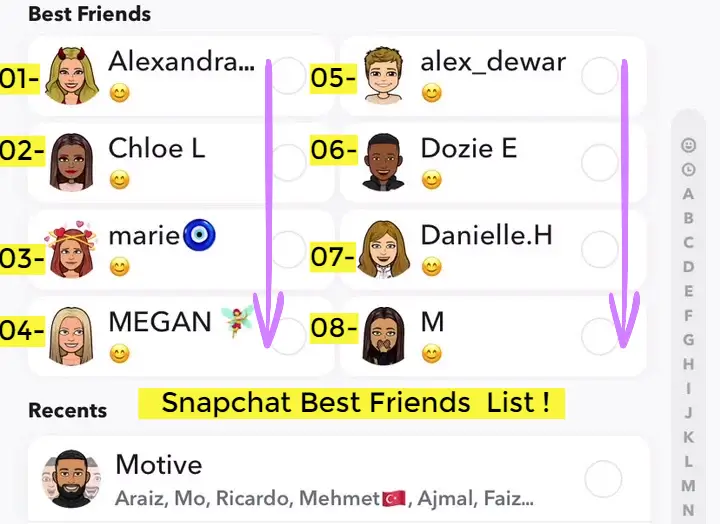
Snapchat rewards users with fire emojis, numbers, and the Snapchat planet order to reflect your top friends. However, missing a snap for 24 hours can cause the streak to disappear, making consistency crucial for maintaining it.
How Does a Snapchat Streak Work?
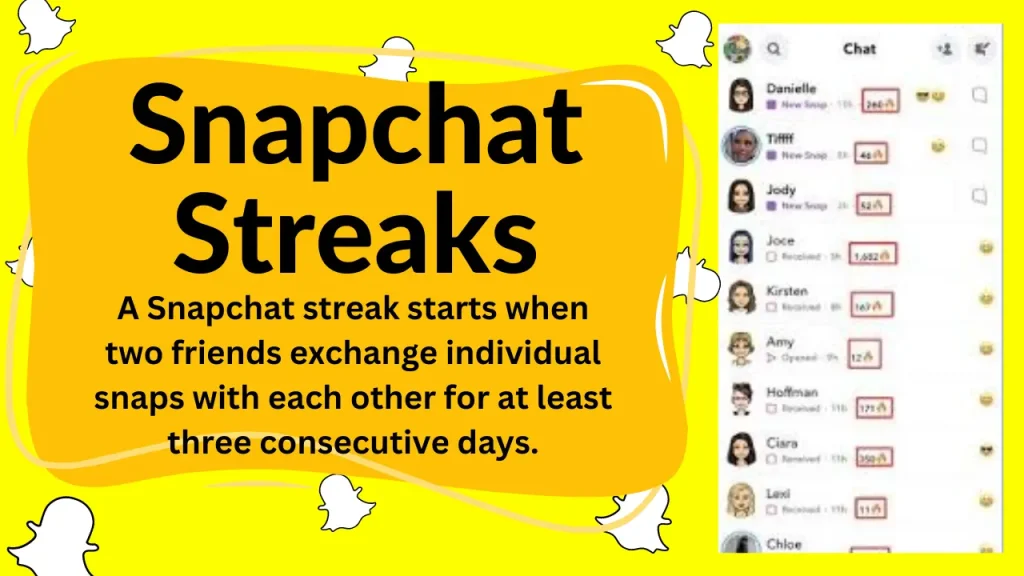
A Snapstreak kicks off when you and a friend swap snaps daily for three days straight. When it’s active, you’ll see a fire emoji (🔥) by their name, paired with a number showing how many days you’ve kept it going. To maintain the streak, both of you need to send a snap within each 24-hour window.
Messages, video calls, and group chats do not count toward streaks—only direct snaps between two users will continue the streak.
If one user forgets to send a snap within the 24-hour window, the streak disappears, requiring both users to restart from zero.
How to Start Streaks in Snapchat?
Starting a Snapstreak is simple but requires mutual participation. To begin a streak:
- Choose a friend who is active on Snapchat and willing to engage in daily snaps.
- Send a snap (photo or video) to that person and ensure they reply with their snap (Rs).
- Keep exchanging snaps for at least three days in a row.
- Once the streak icon appears, continue snapping daily without missing a day.
Regular text messages, Bitmoji reactions, or Snapchat stories do not contribute to streaks. Only direct snaps between two users count.
Snapstreak Symbols
Snapchat uses different symbols to represent streaks, making it easier to track ongoing interactions. Here’s what each one means:
- 🔥 Fire Emoji – Appears after three consecutive days of snapping, indicating an active streak.
- ⏳ Hourglass Emoji – Warns that the streak is about to expire and requires an immediate snap exchange.
- 💯 100 Emoji – Appears when a streak reaches 100 days.
- 🔺 Streak Number – Displays the number of consecutive days the streak has lasted.
These icons help users monitor their streak progress and avoid losing them.
Snapstreak Tips
Maintaining a Snapchat streak requires consistency. Here are some effective tips:
- Set daily reminders or alarms to send snaps before the streak expires.
- Prioritize streaks with best friends who are also committed to keeping them.
- Send quick snaps of anything, even a blank photo with a simple “Streak” caption.
- Check for the hourglass emoji and send a snap immediately if it appears.
- Avoid relying on chat messages or video calls, as they do not count for streaks.
A little effort every day can help maintain long streaks and reach impressive milestones.
Longest Snapchat Streaks Ever Recorded
Snapchat does not publicly display the longest streaks, but dedicated users have reported streaks lasting for thousands of days. Some of the highest-known Snapchat streaks include:
- Over 3,000 days for users who have maintained streaks since the feature was introduced in 2015.
- Multiple streaks exceeding 2,500+ days, shared by long-time Snapchat users.
As Snapchat continues to evolve, streak records are constantly being broken, with many users challenging themselves to reach new milestones.
What Happens if You Lose Your Snapchat Streak?
Losing a Snapchat streak can be disappointing, especially if it was maintained for a long time. If a streak is lost due to inactivity, the fire emoji and streak number will disappear from the chat list. Unfortunately, once a streak is gone, it does not return automatically.
Common reasons for losing a streak include:
- Forgetting to send a snap within 24 hours.
- Internet or app glitches prevent snaps from being delivered.
- One person accidentally misses a snap while traveling or busy.
If a streak is lost unfairly due to a technical issue, there is a way to restore it.
Snapchat Streaks Lost? Here’s How to Restore It
Snapchat offers a streak recovery option for users who believe they lost their streak due to an app error. To request a streak restoration:
- Open Snapchat and go to the settings menu.
- Please Scroll down and select Support > I Need Help.
- Click on Snapstreaks and tap “Let us know.”
- Fill out the form, providing details about your lost streak.
- Submit the request and wait for Snapchat’s response.
Snapchat may restore the streak once, but repeated requests for lost streaks might not be approved.
Tips for Maintaining a High Snapchat Streak
If you want to maintain a high streak count, follow these strategies:
- Make streaks part of your routine. Sending a snap each morning or before bed helps maintain consistency.
- Communicate with your streak partners. Remind each other to send snaps, especially if you see the hourglass emoji.
- Use creative snap ideas. Instead of random pictures, try using filters, stickers, or short messages to keep streaks interesting.
- Keep backups for important streaks. If you travel or expect internet issues, inform your streak partner in advance.
By following these tips, users can keep their streaks running without interruption.
Conclusion
Snapchat streaks are a fun way to stay connected with friends while adding a competitive element to the platform. Whether you’re starting a new streak or maintaining a long one, consistency is the key. Losing a streak can be frustrating, but with regular participation and a few reminders, keeping it active is easy. If a streak is lost due to an app error, Snapchat provides a way to restore it. With proper management, streaks can last for years, making them a lasting part of your Snapchat experience.
FAQs
How many days does it take to start a Snapchat streak?
A Snapchat streak starts after two users exchange snaps for three consecutive days. On the fourth day, the fire emoji appears next to the friend’s name.
Can I recover lost Snapchat streaks?
Yes, you can submit a request to Snapchat’s support team if the snap streak was lost due to a technical issue. However, they may not approve multiple requests.
Do chats and calls count towards streaks?
No, only snaps (photos or videos) sent directly to a friend count toward maintaining a streak. Messages and video calls do not contribute.
What does the hourglass emoji mean on Snapchat?
The hourglass emoji (⏳) appears when a streak is about to expire. If both users do not send a snap soon, the streak will be lost.